

What’s Included
| Component | Description |
|---|---|
| AgentOS | FastAPI server running your AI agents |
| PostgreSQL | Database with pgvector for embeddings |
| Automatic HTTPS | Render handles TLS certificates |
| Public Domain | your-app.onrender.com |
Prerequisites
You’ll need:- Docker Desktop
- uv (Python package manager)
- Render account (free tier works)
- OpenAI API key
- GitHub account (for deployment)
Deploy
Render offers two deployment methods:| Method | Plan Required | Best For |
|---|---|---|
| Blueprint (Dashboard) | Free or Paid | Most users, free tier |
| API (Script) | Paid only | Automation, CI/CD |
The Render API does not support creating free-tier services. If you’re on Render’s free plan, use the Blueprint method.
Create Your Project
Included Agents
These agents are ready to use once deployed:Pal
Personal assistant that learns from you. Stores notes, bookmarks, and research findings.
Knowledge Agent
RAG agent that answers questions from your documents. Pre-loaded with Agno docs.
MCP Agent
Connects to external tools via MCP. Extensible with any MCP-compatible service.
Deploy with Blueprint
Deploy using the Render Dashboard. Works with free and paid plans.Test locally (optional)
Create a Open http://localhost:8000/docs to verify, then stop with
.env file and start containers:docker compose down.Create Blueprint on Render
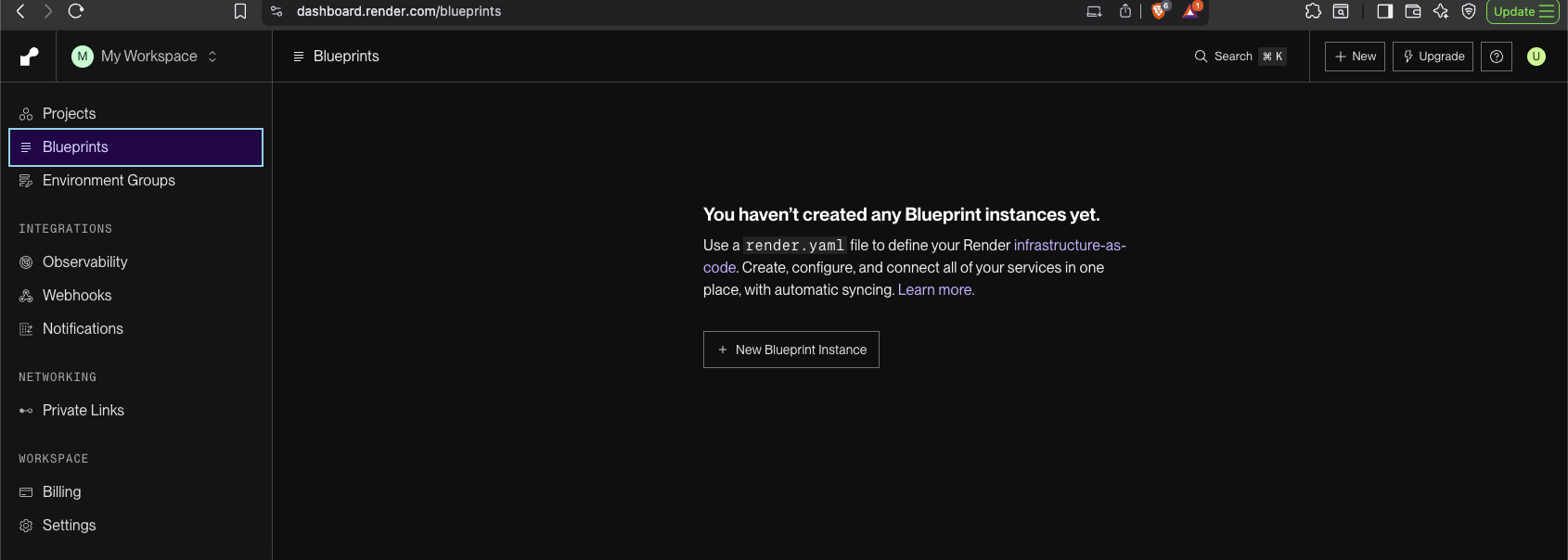
- Go to dashboard.render.com/blueprints
- Click New Blueprint Instance
- Connect your GitHub account and select your repository
- Render detects
render.yamland shows resources to create
Configure environment variables
Render prompts you to set: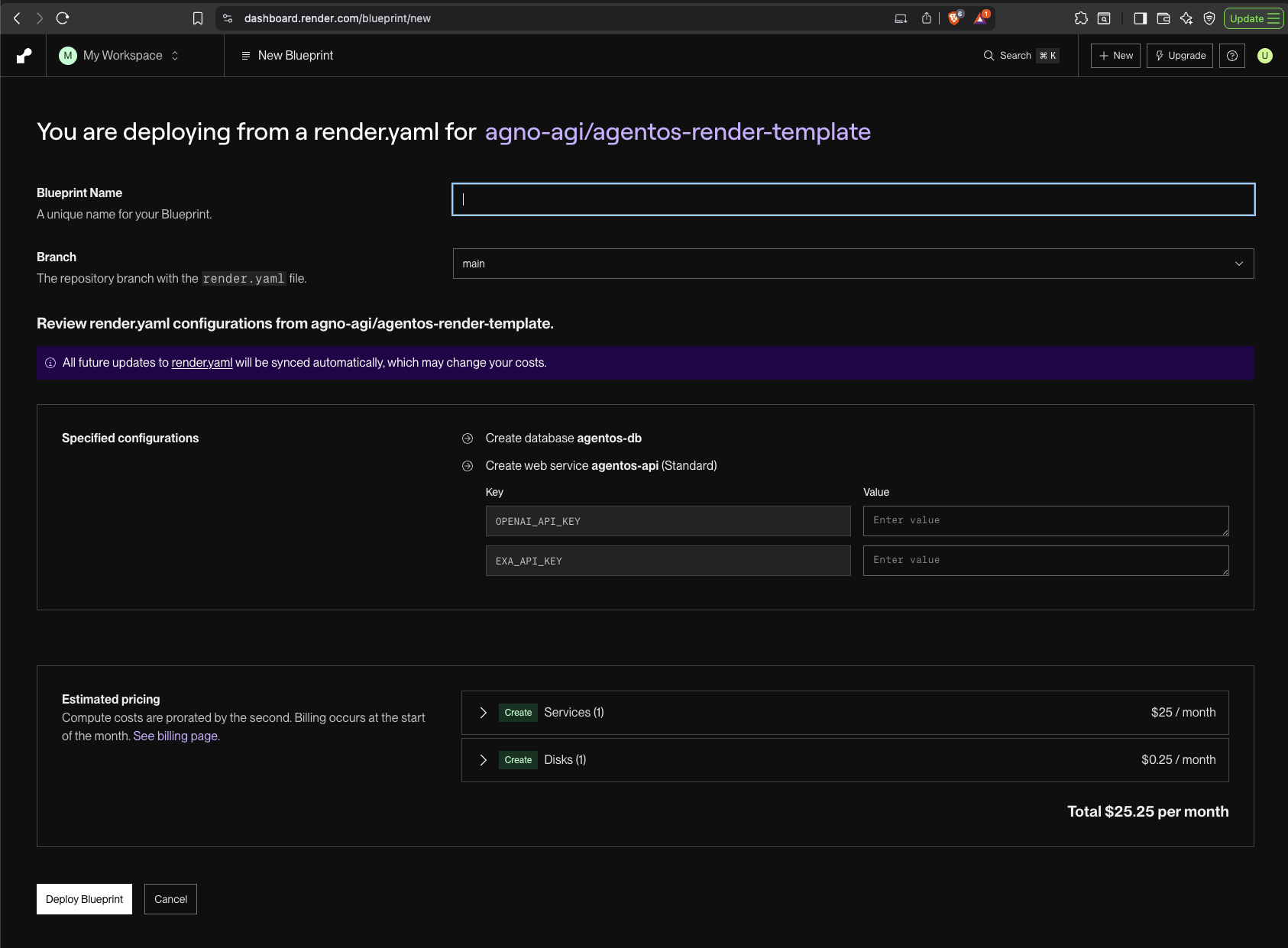
- OPENAI_API_KEY (required): Your OpenAI API key
- EXA_API_KEY (optional): For web research features
Connect to Control Plane
Connect your AgentOS
- Go to os.agno.com
- Click “Connect OS” → Select “Live”
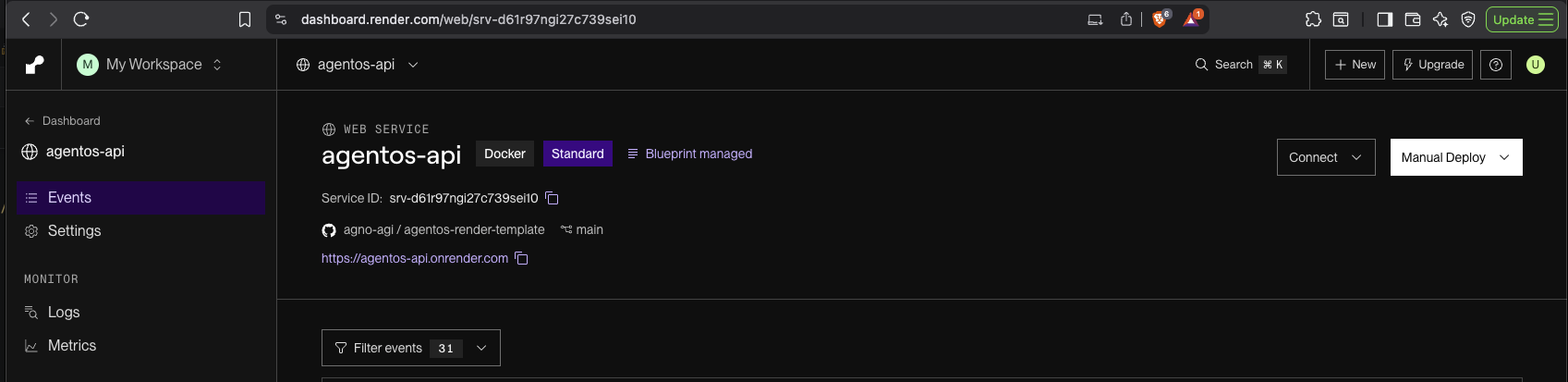
- Paste your Render domain
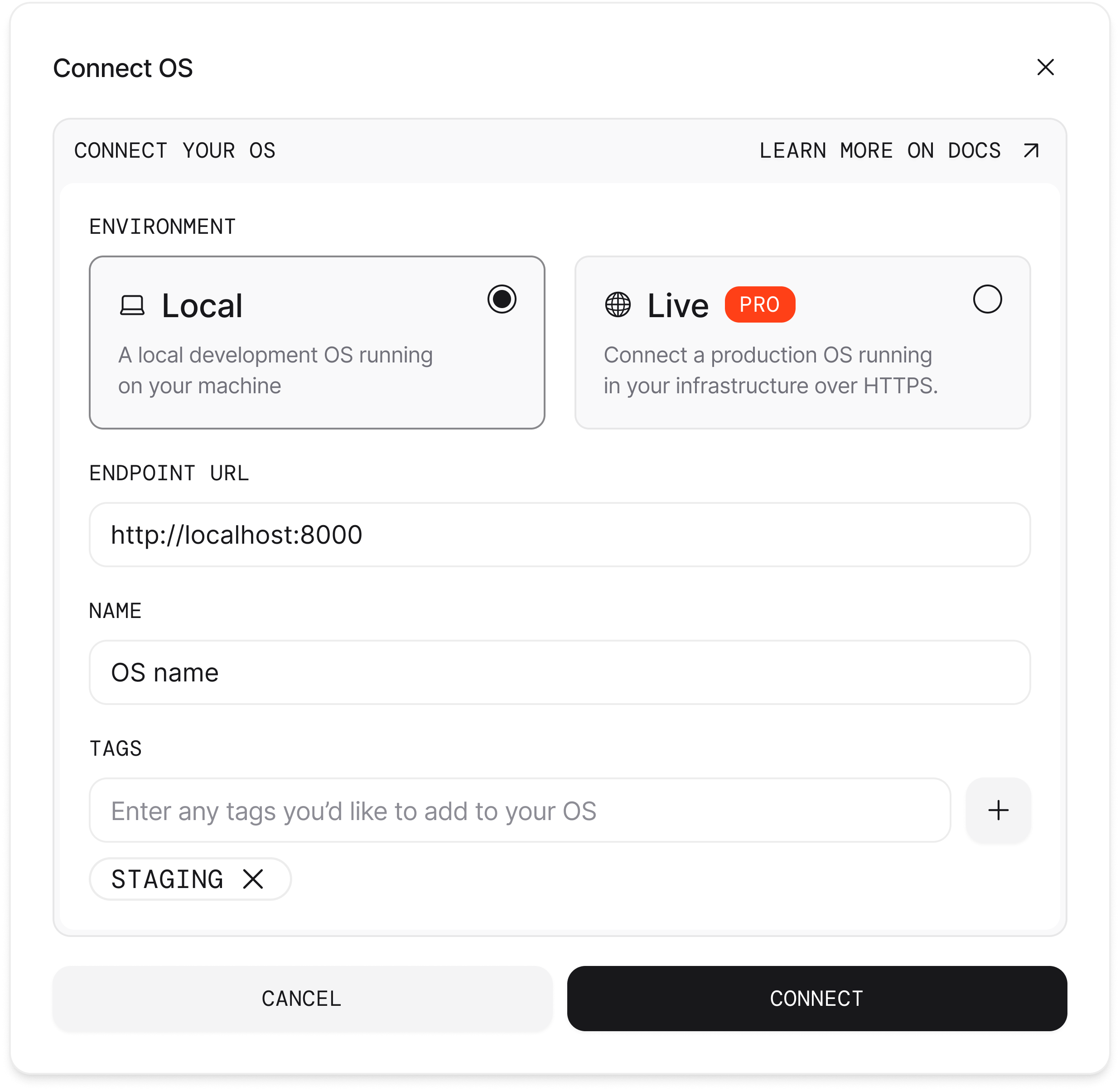
Your AgentOS is live! Manage it from os.agno.com
Deploy with API
Deploy using a script that calls the Render API. Requires a paid plan.Get your Render API key
- Go to dashboard.render.com
- Click profile icon → Account Settings → API Keys
- Click Create API Key and copy it (starts with
rnd_)
Get your domain
The script outputs your URL. Or use:Navigate to
<your-domain>/docs to see your AgentOS API.Connect to Control Plane
- Go to os.agno.com
- Click “Connect OS” → Select “Live”
- Paste your Render domain
Your AgentOS is live! Manage it from os.agno.com
Next Steps
Build Custom Agents
Create agents with your own tools and prompts.
Add Tools
Slack, GitHub, databases, and 100+ integrations.
Add Knowledge
Load documents, websites, and databases for RAG.
Add Interfaces
Deploy to Slack, Discord, WhatsApp, or expose via MCP.
Reference
Blueprint Deployment
| Task | Action |
|---|---|
| View logs | Dashboard → Service → Logs tab |
| Redeploy | Push to GitHub (auto-deploys) |
| Manual redeploy | Dashboard → Manual Deploy → Deploy latest commit |
| Update env vars | Dashboard → Service → Environment tab |
| Delete resources | Dashboard → Blueprints → Settings → Delete Blueprint |
API Deployment
| Task | Command |
|---|---|
| View logs | render logs |
| SSH into service | render ssh |
| Connect to database | render psql |
| Trigger redeploy | render deploys create |
| List services | render services |
Troubleshooting
Deployment fails
Deployment fails
Check logs in Dashboard or via CLI:
render logs. Common issues: missing environment variables, Docker build errors.Database connection timeout
Database connection timeout
PostgreSQL takes ~30-60s to provision. Wait and retry.
Service returns 503
Service returns 503
Container starting. Wait 2-3 minutes for health checks to pass.
API script fails with 'unknown plan'
API script fails with 'unknown plan'
Ensure valid plan names:
basic_256mb for database, starter for web service.Cannot create free-tier via API
Cannot create free-tier via API
Render limitation. Use Blueprint deployment instead.